Host HTML file Online
The simplest way to store and share your small HTML projects. Paste your code or drag and drop files to get started instantly.
Simple & Fast HTML Hosting
HTMLSave is built for beginners and developers who need a quick way to host static content or turn code into an HTML to URL link without the complexity of traditional hosting.
Paste-Host Method
Just paste your HTML code into our editor and hit submit. Your page is live in seconds.
Drag & Drop
Upload your HTML files directly from your computer with our simple drag and drop interface.
Unique URL
Get a unique, shareable link for every project you host. Perfect for sharing mockups or demos.
HTML5 Native
Built for modern static content
Getting your project live
Prepare your code
Write your HTML, CSS, and JS locally or paste it directly into our web editor for testing multi-file static sites. We support files up to 30,000 characters.
Upload or Paste
Use the method that works best for you. We support both raw code pasting and direct file uploads.
Share your link
Your project is live! Every page gets a unique, permanent URL that you can share with anyone instantly.
Why choose HTMLSave for hosting?
We've removed the complexity of traditional hosting to give you the fastest path from code to a live URL.
Instant Deploy
No build pipelines or deployment scripts. Your page is live the moment you hit save.
Safe & Reliable
Hosted on world-class servers with 99.9% uptime, ensuring your content is always available.
Student Friendly
Perfect for learning the basics of web development without worrying about hosting costs.
Permanent Links
Get a unique, permanent URL for every project. Your links never expire, making it perfect for long-term sharing.
Focused on your productivity
Whether you are prototyping a new idea or hosting a simple portfolio, HTML Save provides the tools to get you online without the headache of professional deployment workflows.
- 🚀 Fast servers for optimal speed
- 📝 One-click Google Sign-in
- 🔒 Secure HTTPS by default
- 📁 Support for multiple file types
Understanding HTML File Hosting
Hosting an HTML file online means placing your web page on a server so anyone with the link can view it in their browser. Traditionally, this requires purchasing a domain, configuring DNS records, setting up FTP access, and managing server software — a significant barrier for small projects and quick experiments.
HTMLSave eliminates all of that complexity. When you paste your code or drag and drop a file, we store it on high-performance servers and assign it a clean, permanent subdomain like yourproject.htmlsave.net. Your page is served over secure HTTPS with no ads, no banners, and no interstitial screens — visitors see exactly what you built.
Whether you need to convert HTML to a shareable URL, host JSON data for an API, or deploy a complete static site with CSS and JavaScript, HTMLSave provides the fastest path from your local files to a live web page.
Supported File Types
.html.css.js.json.txt.xml.mdWho Hosts HTML Files on HTMLSave?
From first-time learners to seasoned professionals, HTMLSave serves anyone who needs to get static web content online without friction.
Students & Learners
Build your first web page and see it live on the internet. Host class assignments, personal projects, and practice exercises — perfect for web development courses where instructors require a live URL submission.
Developers & Freelancers
Quickly prototype UI components, host HTML from ChatGPT or Claude, and share live demos with clients — all without setting up staging environments or configuring deployment pipelines.
Educators & Content Creators
Share live coding examples, interactive tutorials, and styled documents with your audience. Host teaching materials on a clean, ad-free subdomain that students and readers can access from any device.
Watch how it works
Host your HTML project and get a live link in under 60 seconds.
Easier to host than...
Professional cloud platforms are powerful, but they add unnecessary overhead for simple HTML projects. Skip the Git repos, CLI tools, and DNS records.
The HTML Save Advantage
Optimized for speed and simplicity.
How Your Hosted HTML Site Works
Every project you host on HTMLSave gets a clean, professional subdomain — like yourproject.htmlsave.net. There are no intrusive ads or banners injected into your pages. When you share your hosted link, visitors see exactly what you built, nothing more. This makes it ideal for sharing work samples, embedding live demos in documentation, or sending quick proof-of-concept links to collaborators and clients.
HTMLSave supports two workflows for getting your code online. The Paste-Host method lets you write or paste raw HTML directly into our web editor — ideal for quick snippets, single-page experiments, or hosting HTML code generated by AI assistants like ChatGPT, Claude, or Gemini. The Drag and Drop method lets you upload files from your computer — perfect when you already have a project folder with separate HTML, CSS, and JavaScript files that need to work together.
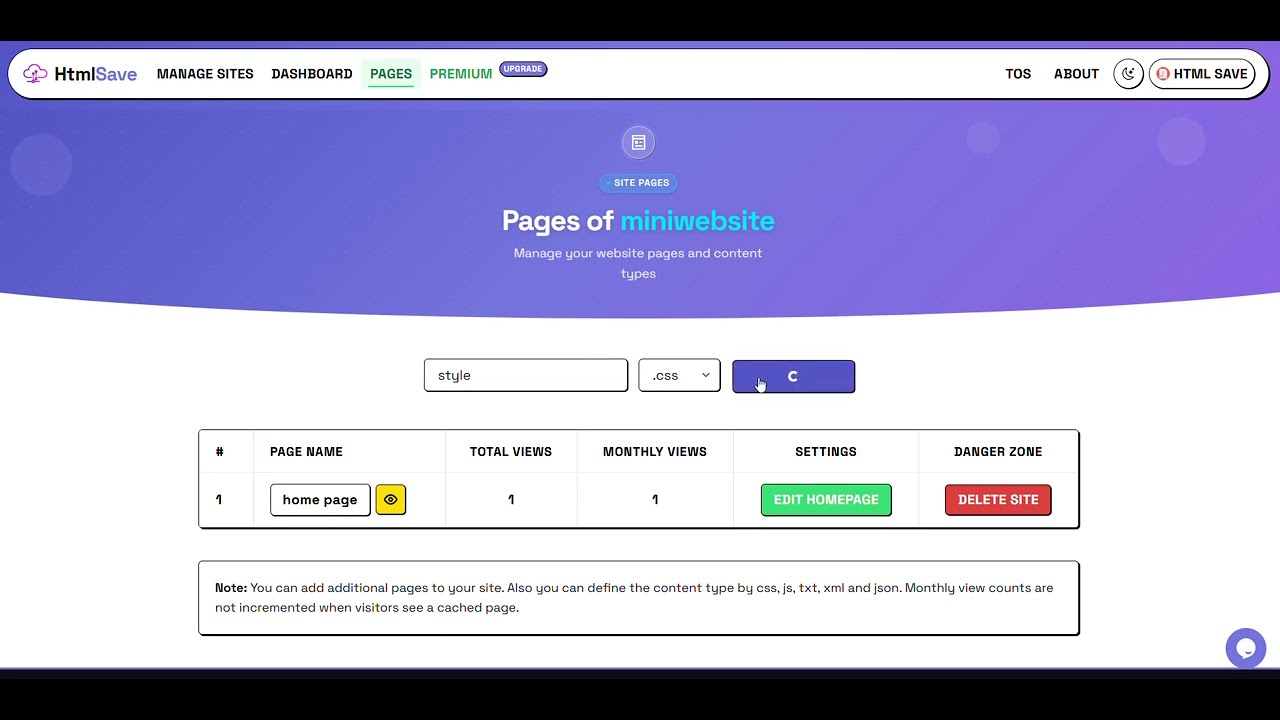
Your homepage (index.html) supports up to 30,000 characters of code, while additional pages like stylesheets, scripts, JSON data, and text files support up to 15,000 characters each. That's more than enough for landing pages, interactive demos, styled portfolios, UI component showcases, and educational examples. You can host multiple file types within a single project — external stylesheets, scripts, and data files — all linked together under one subdomain.
For an even faster workflow, install the official HTMLSave browser extension to host files directly from your browser side panel without navigating away from your current tab. This is especially convenient when working alongside AI coding assistants — generate code in one tab, paste it into the HTMLSave side panel, and see your creation live on the web in a single click.
Need more control over your hosted sites? Our premium plan unlocks password protection to share editing access and collaborate with others on the same project, permanent site hosting without auto-deletion, and a dedicated dashboard to manage all your projects from one place.
Perfect for these use cases
Whether you're a student, developer, or designer, HTMLSave is the fastest way to get your HTML online.